Automating your grocery shopping
Disclaimer: This work does not represent Amazon/AWS and is done solely in a personal capacity.
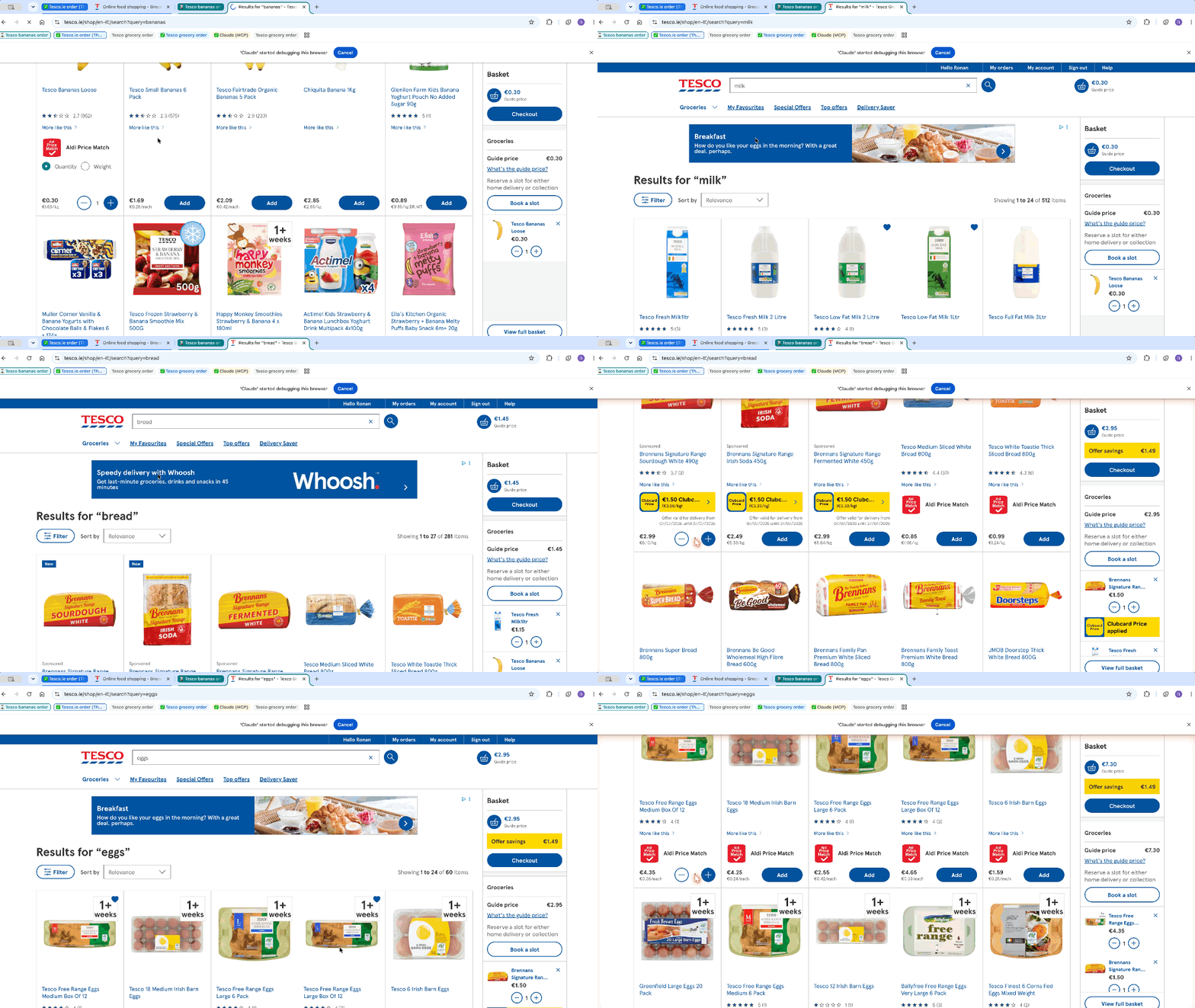
Every week, the same thing: a running Notes checklist of things we’ve run out of, and the tedious job of going to busy physical stores or trawling through a website to put together an order. So I built a small pipeline that helps a lot - an Apple Shortcut that turns a plain checklist into an actionable prompt for an AI agent, which puts together an order on Tesco.
My setup
- Tesco account: I use the delivery saver plan.
- AI tool: I pay ~€20/mo for Claude and have access to Perplexity’s Comet app through my paid Revolut plan.
- Apple Notes: One shared folder (with your household members) containing 2 notes do all the work. One shared folder containing historical orders. I’ll show my structure below.
- 📁 Folder 1 - Household Shopping
-
List 1 – Shopping List — a checklist, updated constantly by both of us as things run out.
Example
🍓 Fruit
◦ Pink lady apples
◦ More unchecked items..
🥒 Veg
◦ Red Onions
◦ More unchecked items..
-
List 2 – Shopping Instructions — the “how,” not the “what.” It has placeholders like
{{date}}that get filled in on the fly, plus standing rules learned from experience — “get fresh berries, not frozen ones unless I ask” is there because Claude got that wrong once. Splitting these two notes apart works well: the instructions barely change week to week, while the list changes constantly.Example
You are a grocery shopping agent. Complete a Tesco.ie order with the items listed below.
SETUP
- Navigate to tesco.ie and sign in if needed
- Open Favourites before searching. Use it to infer my preferred brands and sizes
DELIVERY
I would like the delivery to be {{date}}. If there is no time specified, assume I want it as early as possible. If there is alcohol in the order, it needs to be after 10:30 Mon-Sat and after 12:30 on Sun.
SUBSTITUTION RULES
…
- Never substitute fresh → frozen for meat or berries unless the item says “frozen” …. =======
STOP BEFORE PAYMENT
Do not proceed to checkout. Report back:
- Not available: anything you couldn’t find
- Substitutions: anything you changed and why
- Anything looks odd about order (e.g. 2 different versions of the same thing)
- Delivery slot confirmed Await approval before proceeding. =======
-
List 1 – Shopping List — a checklist, updated constantly by both of us as things run out.
- 📁 Folder 2 - Historical Orders — an archive of every prompt that’s been sent, so you can check back if anything goes wrong.
Step by step through the flow
The shortcut does five core jobs:
-
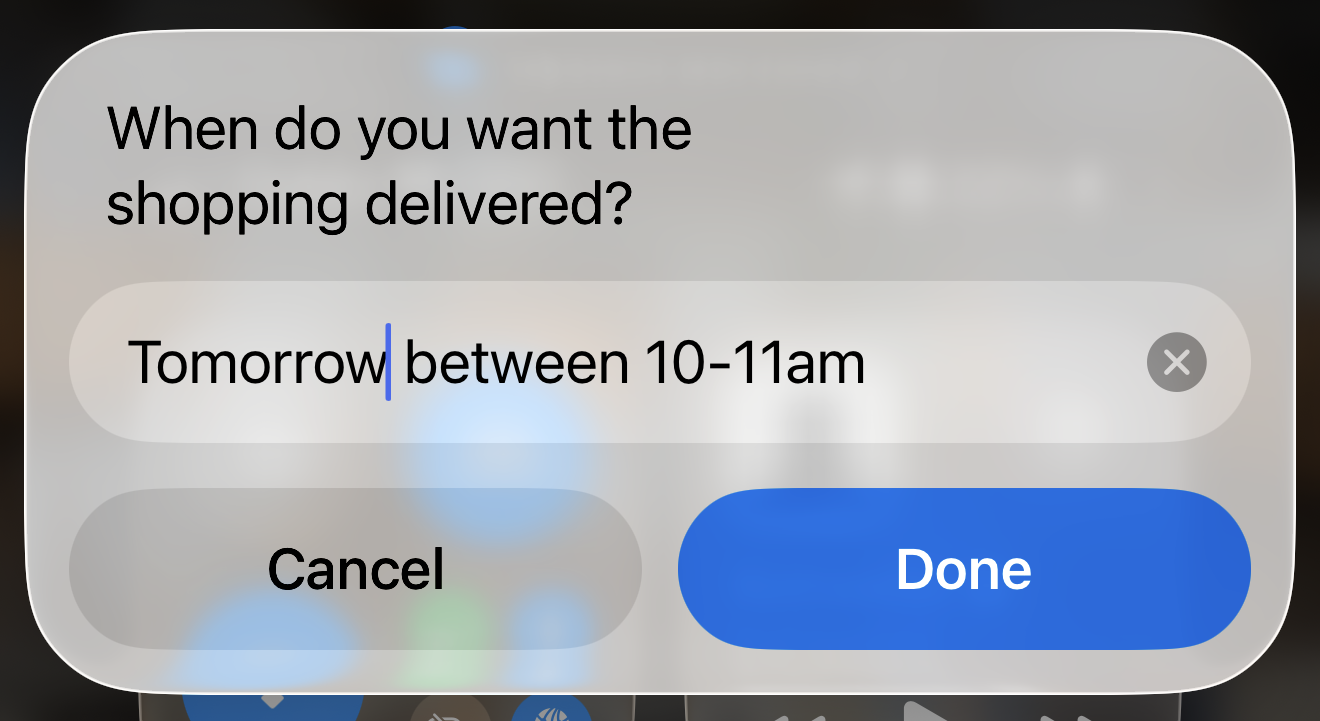
Ask for delivery date — store it for later
-
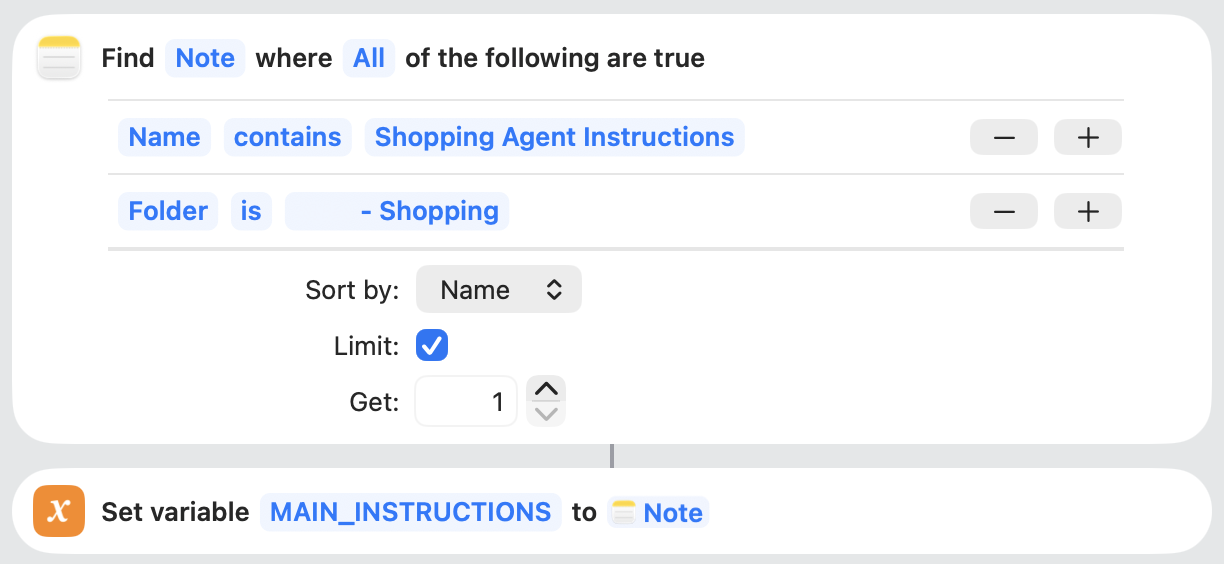
Load the Agent Instructions — dip into the folder I mentioned above and retrieve the instructions our shopping agent should follow.
-
Insert the date from (1) into the instructions — remember I said we had {{date}} in the instructions? Now we’ll use the text given in (1) and inject it to our instructions.

-
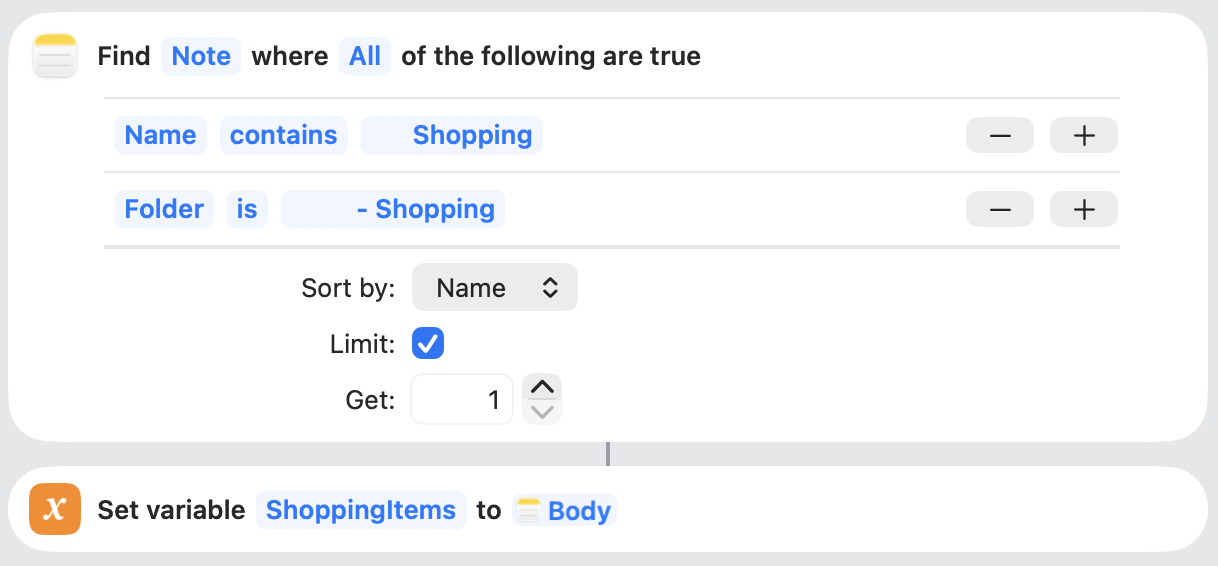
Load and filter the list — retrieves the Shopping List note, splits it line by line, keeps only unchecked items
-
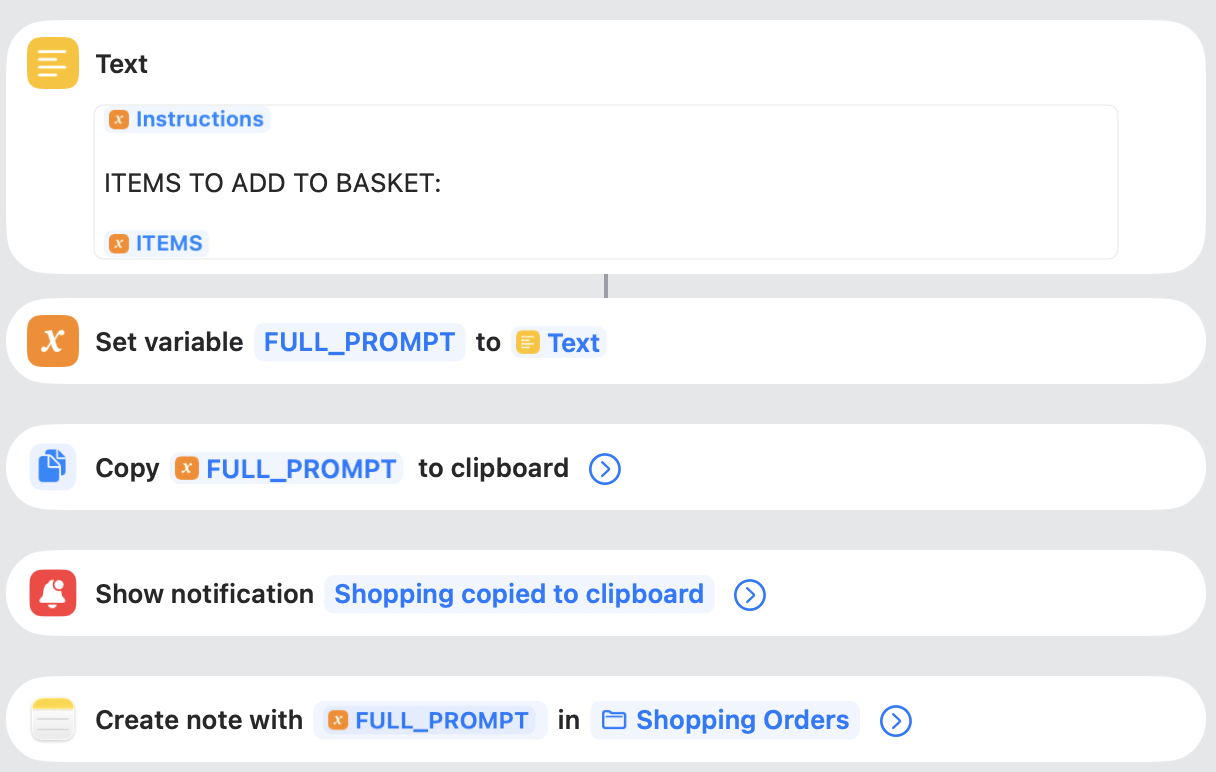
Assemble the final prompt, then hand off — combines instructions with date from (3) + “ITEMS TO ADD TO BASKET:” + the filtered list (4) into a full block of text. Copies it to the clipboard, for you to paste to Claude/Perplexity/Whatever and files a copy in Historical Orders in Notes.
-
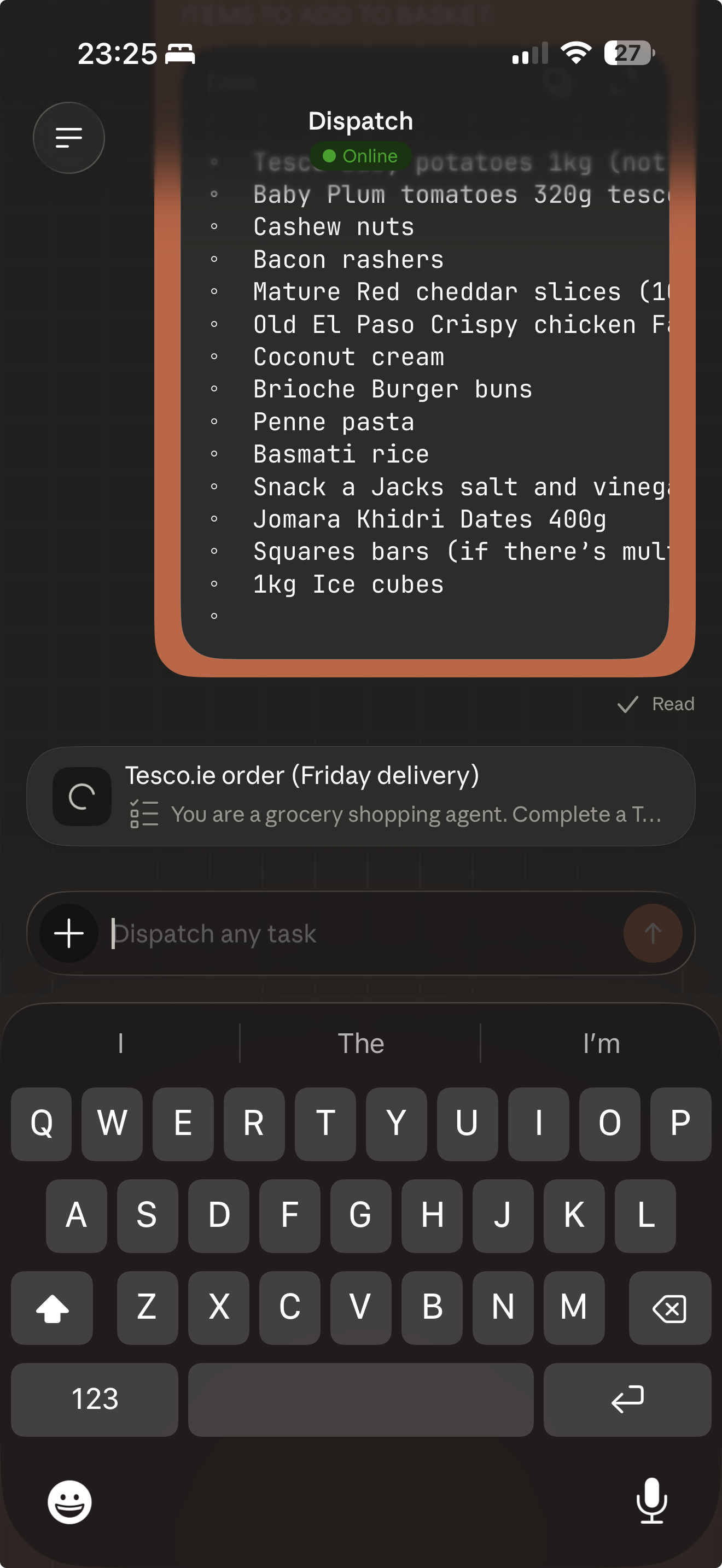
Paste into app of choice — in this case, I’m using Claude (and my laptop is online)
Troubleshooting Tip
You can use “Quick Look” in shortcuts to understand what’s happening at any point - you can render variables on your screen once the shortcut reaches that block.
An honest note on the messy middle
Filtering down to unchecked items is the least glamorous part of the shortcut, and the part most likely to need revisiting as the list format changes. I found that if I edited the shortcut on my mac vs. iPhone the empty check renders differently. For example ‘[ ]’ vs. ‘◦’.
What’s still clunky
This works and saves us lots of time, but it’s not seamless yet:
- Claude Dispatch currently needs a laptop or PC left on for the job to run. Perplexity’s Comet browser handles this part more easily directly from your mobile device.
- The handoff isn’t automatic - you still have to manually paste the copied prompt into whatever’s going to run it.
- There’s a payment verification step at checkout. I don’t actually mind this one - I want to review the basket for mistakes before it’s paid for anyway.
What this helps with
I still edit the shopping list and still confirm the order. What it removes is manually searching Tesco.ie for each item. Even better, I don’t need to go to the physical shop and save lots of time weekly.
If you’ve solved the always-on requirement, the manual paste step, or have ideas for tightening the loop from shortcut to checkout, I’d genuinely like to hear about it.
I’ve made this available for you to download and edit - Download the shortcut